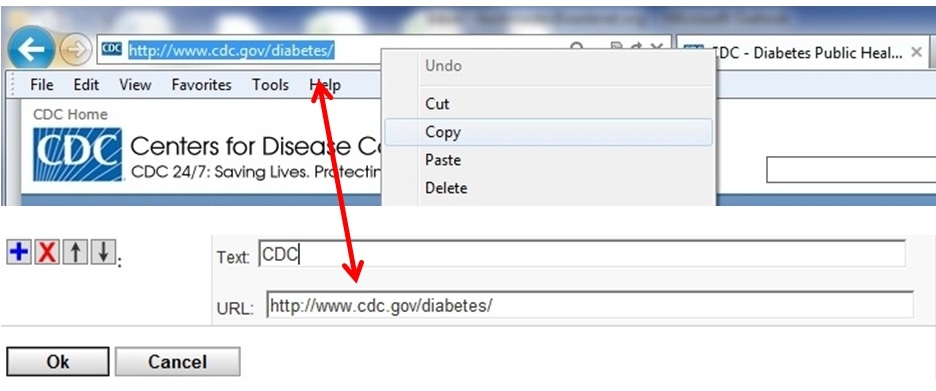
Are you interested in a faster way to get to the pages you visit most often?
Tired of clicking four links before getting to the document you always reference?
Wish you could click one button to take you to an event you’re setting up?
You’re in luck—MY AADE NETWORK allows you to bookmark any and all pages you enjoy visiting!
MY LINKS
My Links is your own personal list of links to the MY AADE NETWORK pages and other external websites you visit most.
Once you are on the page you’d like to bookmark, go up to the top right corner and place your mouse over “My Links”. Then click “Add this Page”. Tada! It’s that simple.
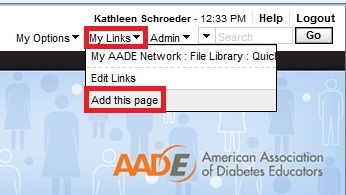
Once you have added a link, you can select it from your My Links menu to navigate to that link.
EDIT LINKS
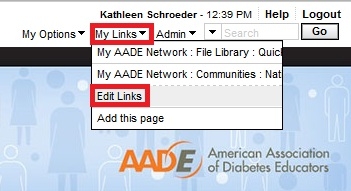

*Note: when you ADD a new link by clicking on the blue plus sign, enter the Text you want to display for this link and the URL for the link. Make sure you copy the entire URL of the page you want to add. Then paste it in the URL box and add a title in the Text field.